- Tuesday, December 25, 2012, 20:47 |
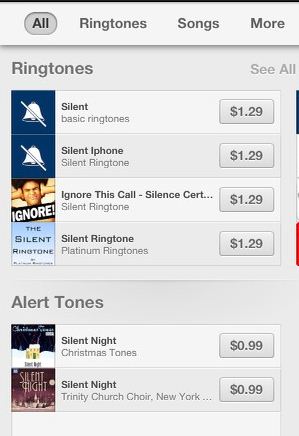
How do you avoid spam calls? The options are, you can create a spammer’s contact list and set a different ring tone and ignore the calls. The other option is to avoid the calls that are not in your contact list. But these options can still distract you. Here I am going suggest an option called “Silent Ringtone”. Well, you have to pay $1.29 for it.
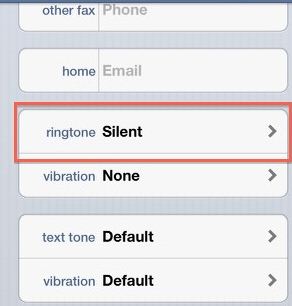
Open the iTunes app on your iPhone and tap “More” in the menu bar and select Tones. Here, you can search for “silent ringtones”. Starting adding all the unwanted caller’s numbers into the “Unknown Callers” group. Now the all the numbers on that list will automatically get silent ringtone. So whenever you receive a call from spammers, your iPhone will play silence and registers the calls as Missed calls.
To know whether the received call was really from a spammer, you can just copy the number and paste it in search box of the safari browser. The number will link to the complaints by other people who received the call from that spammer.
- Ringtone Maker, creates ringtone from a song for iPhone,Blackberry,Android,Symbian
- Sidecar, a mobile app that lets you to share videos,photos,location while on a call
- The new iPhone may be made out of Glass
- Swipe to set Alarm using Rise Alarm Clock app for iPhone
- MyFaceWhen, an iPhone app that lets you to convert a video into an animated GIF
- Create an iPhone case using your Instagram Photos: Casetagram
- Microsoft Office for iPhone, iPad, and Android revealed!
- Zapd, an iPhone app for creating Instant mini website in 60 seconds
- Monitor your bandwidth usage on iPhone and save money using Onavo Count app
- Get your must read news from Twitter & Facebook via News.me iPhone app

Source:
http://techglimpse.com/index.php/stop-spam-callers-unwanted-calls-iphone-trick.php